


Joko | Cash back & coupons
Joko Apps
I approached Joko | Cash back & coupons as a practical shopping companion rather than a place to browse endlessly. Its purpose is simple: help me find savings around purchases I was already planning to make, then keep the process light enough that it does not feel like another chore. That focus is important, because cashback apps are only useful when they fit naturally into a shopping routine.
Joko is a free shopping app from Joko Apps for everyone, and it runs on Android devices using version 7.0 or later. The app has built a strong public audience, with an average rating of 4.5 from around 45,000 ratings and more than a million installs. Those figures do not replace personal testing, but they do suggest that the basic idea is easy for many shoppers to understand.
My overall impression is positive, with one condition: you need to treat it as a savings tool, not as a reason to buy things you would otherwise skip. Used before an ordinary purchase, it can make a familiar shopping trip more rewarding. Used impulsively, the convenience of discounts can work against your budget.
How the app fits into an ordinary shopping routine
The most useful way to approach Joko is to open it before I shop, not after. I can check whether a planned purchase has a relevant cashback opportunity or coupon, compare the available saving with the effort involved, and then decide whether it is worth continuing. This small change in timing matters. Looking first helps me avoid discovering a saving too late, when the purchase has already happened without the app being part of the process.
For example, imagine I am already planning to replace household supplies during a regular online shopping session. Instead of opening the retailer immediately, I first check Joko for a current offer. If I find a suitable discount or cashback option, I follow the indicated route and complete the purchase with the offer in mind. If nothing useful appears, I can simply shop normally rather than forcing the app into the process.
Related News

Instagram Is No Longer a Photo App. It Is an Attention Engine

Microsoft Teams Mobile: When Collaboration Becomes Navigation

How the NFL App Adapts to Android and iOS Updates

Temu: Elevate Your Shopping Experience to Billionaire Status

Why Traffic Rider Works Best as a Precision Reflex Game

How Google’s Find Hub Transforms Everyday Searches
That workflow is more realistic than expecting every purchase to produce a dramatic reward. The value comes from repetition: checking before planned orders, remembering to use available coupons, and avoiding unnecessary spending. I especially like this approach for recurring purchases, because the habit is easy to attach to something I already do.
The app’s shopping category also makes its role clear. It is not trying to replace every retailer or become a full personal finance system. I see it as a layer placed between my intention to buy and the final checkout. That makes it more focused than a general shopping marketplace, although it also means its usefulness depends on whether its offers match my actual needs.
What feels quick and what may slow the routine
In normal use, the important question is not whether every screen appears instantly. It is whether I can move from “I need to buy this” to “is there a saving available?” without losing patience. Joko benefits from a direct purpose: I am usually looking for an offer, a coupon, or a way to earn cashback, rather than exploring an enormous catalog for entertainment.
Gallery
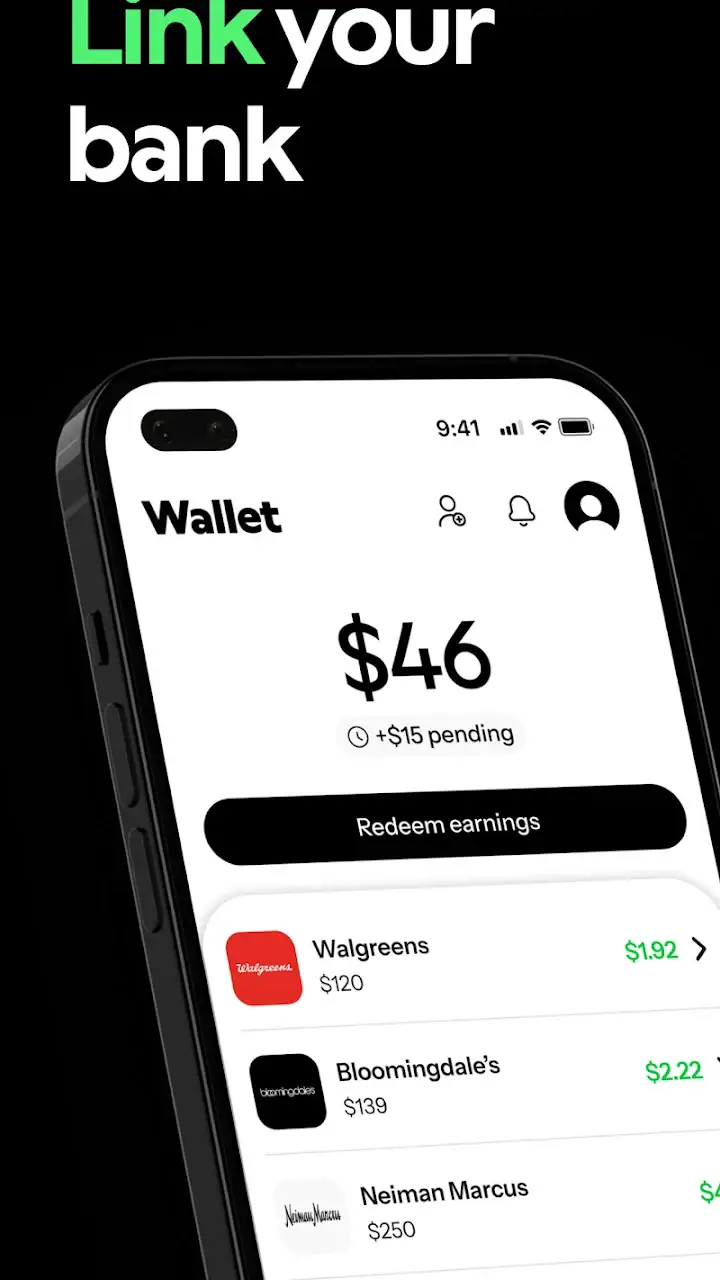
The fastest workflow is prepared shopping. I know the store or product category, open the app with a specific goal, inspect the relevant options, and continue only when the saving makes sense. This is quicker and more reliable than opening the app without a plan and scrolling through unrelated promotions.
There is still some natural friction. Offers need to be checked carefully, and the shopping path has to be followed in the intended order. A cashback service is not as effortless as paying with a bank card that automatically returns a fixed reward on every transaction. Joko asks for a little more attention, but in return it can be more relevant to the purchase in front of me.
I would not judge its speed only by how rapidly I can browse the interface. The real performance test is whether the app helps me make a decision before I abandon the purchase or forget the offer. For planned shopping, it generally makes sense. For a rushed purchase where I need to check out immediately, the extra step may not be worth it.
Handling busy shopping moments
The heavier moments are likely to occur when I am comparing several offers, switching between Joko and a retailer, or preparing multiple purchases in one session. This is where organization matters more than raw speed. I find it helpful to decide in advance which purchases are worth checking, rather than opening every offer that looks remotely interesting.
A useful tactic is to group shopping by intention. I might check Joko once before a planned household order, once before a larger personal purchase, and once before seasonal shopping. This reduces repeated browsing and lowers the chance of making a purchase simply because a coupon is visible. It also makes the app feel like a checkpoint instead of a constant distraction.
Another practical lesson is to read the offer details before assuming that a discount applies universally. Cashback and coupons can have conditions, and the attractive headline is not always the same as the final value for my basket. I compare the saving with the product price, delivery cost, and whether I would have made the purchase anyway. That calculation is more useful than chasing the highest-looking percentage.
When I use the app during a busy shopping period, I prefer a simple sequence: choose the purchase, check Joko, confirm the relevant offer, then complete the transaction without jumping between unrelated promotions. Keeping that sequence short reduces mistakes and makes recovery easier if I need to repeat a step.
Reliability and recovering from a missed step
Reliability here means more than the app opening successfully. I also want clear progress from offer discovery to shopping completion and a sensible way to review what happened afterward. Cashback naturally requires patience and attention, so I would not expect the reward experience to feel identical to an instant coupon applied directly at checkout.
The safest habit is to treat each purchase as a small process that deserves confirmation. I check that the offer is the one I intended to use, begin from the correct place, and keep the transaction details available until I am comfortable that everything was recorded properly. This is not glamorous, but it is the difference between “I think I used the offer” and having a clear personal record of what I did.
If I realize that I forgot to start through Joko, I do not assume the purchase can be repaired automatically. I simply note the mistake and use the proper route next time. That expectation keeps the app from becoming frustrating. The service works best when I build a repeatable habit instead of relying on last-minute rescue.
For a purchase that matters, I also avoid closing the process mentally before the retailer confirms the order. I keep the sequence straightforward and resist opening several offers in different tabs or apps. The more complicated the route becomes, the easier it is to lose track of which promotion was selected.
Joko Apps has kept the product focused on everyday savings, and that focus contributes to a dependable routine. It is easier to remember one clear purpose than a crowded app that tries to manage shopping, payments, budgeting, and loyalty rewards all at once. The trade-off is that I still need my normal retailer and payment method to finish the purchase.
Device limits and everyday resource demands
Joko supports Android 7.0 and newer, which makes it accessible on a broad range of Android phones. That is useful for people who keep an older device rather than upgrading frequently. At the same time, compatibility does not guarantee an identical experience on every phone. Older hardware may feel less fluid when several apps are open, especially if I am moving between the cashback app, a browser, and a retailer.
My practical advice is to keep the shopping session simple on an older phone. Close apps I do not need, open Joko first, and avoid creating a maze of browser windows. This is not because the app should be treated as unusually demanding; it is because shopping workflows become harder to follow when the device is already under pressure.
On a newer phone, the main resource cost is likely to be attention rather than processing power. Checking offers, switching to a store, and returning to review the purchase can consume more mental energy than the interface itself. I would rather use Joko for a few deliberate checks than leave it as a permanent part of every browsing session.
People who are very sensitive to storage, notifications, or background activity should make their own comfort the deciding factor. A cashback app is optional by nature. If keeping the phone minimal matters more than occasional savings, a straightforward store coupon or a card-based rewards program may suit them better.
The age rating of Everyone is reassuring for households that want an uncomplicated shopping tool, but adults should still guide younger users around purchasing decisions. The app may help locate savings; it does not turn shopping into a risk-free activity. The sensible boundary is to use it alongside a clear budget and an adult’s approval where necessary.
Where Joko is stronger than usual alternatives
Compared with relying only on retailer coupons, Joko can be more convenient when I want to look across everyday shopping opportunities from one place. A store’s own discount system is often the most direct option for that store, but it does not necessarily help me compare savings before I choose where to buy. Joko is useful at that earlier decision point.
Compared with a bank card that provides automatic rewards, Joko requires more involvement. The card may win for effortless, consistent returns, particularly when I already know which payment method I want to use. Joko can be better for shoppers who are willing to check offers and who want savings connected to specific purchases rather than a single fixed reward structure.
Compared with browser coupon hunting, the app offers a more focused starting point. Searching the web manually can uncover useful deals, but it can also produce expired pages, unclear conditions, and too much irrelevant information. Joko does not remove the need for judgment, yet it gives the process a defined place to begin.
The important trade-off is convenience versus control. Automatic rewards are easier because they demand little thought. Joko rewards attention, so it can be more valuable for an organized shopper and less attractive for someone who wants every saving to happen invisibly.
Who will get the most from it
I would recommend Joko to people who already shop online or regularly compare prices before buying. It is particularly suitable for planned purchases, repeat household orders, and anyone who enjoys checking a coupon before committing to checkout. The free price removes a major barrier to trying it, although the real return still depends on using it for purchases that were already part of the budget.
It also suits people who like a visible routine. Open the app, inspect the relevant offer, follow the shopping path, and keep the confirmation in mind. That sequence is simple enough to repeat and specific enough to prevent random browsing.
I would be more cautious about recommending it to someone who makes mostly spontaneous purchases, dislikes switching between apps, or expects an automatic reward on every transaction. For that person, a retailer loyalty scheme or payment card with built-in rewards may feel smoother. Joko is not a magic layer that makes every purchase cheaper; it is a tool that pays off when the user participates.
It is also not the right choice for anyone who tends to spend more after seeing a discount. A coupon can reduce the cost of a necessary item, but it can also make an unnecessary item seem reasonable. My rule is simple: decide whether I want the product first, then use Joko to look for a better route to buy it.
Version, maintenance, and the final performance judgment
The current version is 5.0.37, and the app was released on May 13, 2022. For me, those details matter mainly because they show that this is an established app rather than a brand-new experiment. I still prefer keeping it updated through the normal app store process, especially for a shopping tool that I use around transactions.
After spending time with its intended workflow, I see Joko as a calm, useful utility rather than an app I would open for long sessions. Its perceived speed is best when I arrive with a purchase in mind. Its stability is easiest to judge through a short, repeatable path, not through constant browsing. Its resource demands should be manageable for supported Android phones, while older devices benefit from a tidy, single-purpose shopping session.
The strongest insight is that preparation matters more than persistence. Checking before buying, reading the offer carefully, and keeping the route uncomplicated will do more for the result than spending extra time exploring every promotion. The second is that cashback should be evaluated as part of the whole basket, including delivery and necessity, rather than as an isolated reward. The third is that recovery is mostly behavioral: if I miss the correct starting point, I learn from it and use the proper sequence next time instead of assuming the app can undo the mistake.
At no cost to download, an Everyone rating, support for Android 7.0 and later, and a 4.5 average from around 45,000 ratings, Joko is easy to try without committing money to the app itself. I would recommend it to a deliberate shopper who wants one more place to check before paying. I would skip it if I want completely automatic rewards or if extra shopping steps irritate me.
My final verdict: Joko is worth keeping as a pre-purchase checkpoint, not as a reason to shop more. When I use it with a real shopping list and a clear budget, it adds useful savings potential without demanding a complicated routine. Its performance feels most convincing in short, focused sessions, and that is exactly how I think this app should be used.
FAQs for Joko | Cash back & coupons
What is Joko and how does it work?
Joko is an app designed to help users save money through cash back offers and coupons when shopping online. Once downloaded, users can link their payment cards to the app. As they make purchases with partnered retailers, Joko automatically tracks transactions and applies relevant cash back or coupon discounts to their accounts.
Is Joko safe to use with my payment information?
Yes, Joko is designed with user security in mind. The app uses encryption to protect your personal and financial information. It only tracks transactions to provide cash back and does not access sensitive data like card numbers. Always ensure you download the app from trusted sources like the official app store.
What types of retailers are partnered with Joko?
Joko partners with a wide range of retailers, including popular fashion, electronics, and grocery stores. The app frequently updates its list of partners to include new and diverse options, ensuring users have plenty of opportunities to earn cash back on everyday purchases.
How do I receive my cash back rewards?
Cash back rewards accumulate in your Joko account and can be redeemed once they reach a specified amount, typically through bank transfer or PayPal. The app provides a dashboard where you can track your earnings and see when they are eligible for withdrawal. Processing times may vary based on the redemption method chosen.
Are there any fees associated with using Joko?
Joko is free to download and use, with no hidden fees for accessing cash back offers and coupons. However, some transactions might still incur standard fees from your bank or payment provider, independent of the app. Always check the terms and conditions within the app for any updates related to fees.
Pros
- User-friendly interface for easy navigation.
- Wide range of partnered retailers.
- Real-time cashback tracking.
- Secure payment options.
- Frequent updates with new offers.
Cons
- Limited availability in some regions.
- Requires internet connection.
- Occasional delays in cashback processing.
- Some offers have short expiration dates.
- Notifications can be overwhelming.


